TikTok Video Ideas With AI: A Daily System
Never stare at a blank screen again. Build a repeatable daily TikTok system with AI-ready hooks, formats and captions that match your voice.
The hardest part of posting on TikTok every day isn’t filming. It’s deciding what to make before you lose the energy to make anything at all. This article gives you a repeatable system: a bank of hooks, a short list of proven formats, and a way to turn one sentence into a finished short with a caption that already sounds like you.

By the end you’ll have a weekly rhythm you can run in minutes, not hours, plus prompts you can paste straight into a tool that builds the whole short for you. Let’s start with why “ideas” is usually the wrong thing to chase.
Stop hunting for ideas, build a system instead
Most creators burn out because they treat every post as a brand-new creative problem. They open the app, scroll for inspiration, feel behind, and close it again. A system removes that daily decision. Instead of asking “what should I post today?”, you ask “which format is it today?” — and the format tells you what to write.
A good system has three fixed parts:
- A format rotation. A small set of video shapes you cycle through so you never repeat the same thing two days running.
- A hook bank. First-line patterns you can fill in with today’s topic.
- A voice rule. One or two sentences describing how you sound, so every caption and script lands the same way.
Once those three are set, AI does the heavy lifting: it writes the script, times the captions, suggests b-roll, and hands you a caption with hashtags. Your job shrinks to picking the topic and pressing go. That’s exactly what Short-form video is built for — you give it one sentence and a format, and it returns a finished 9:16 short with a voiceover, word-timed captions, and a ready-to-post caption.
One honest note before we go further: Artistik makes the video, but it does not post for you or run your accounts. The posting, the timing and the community replies are still yours.
The seven formats worth rotating
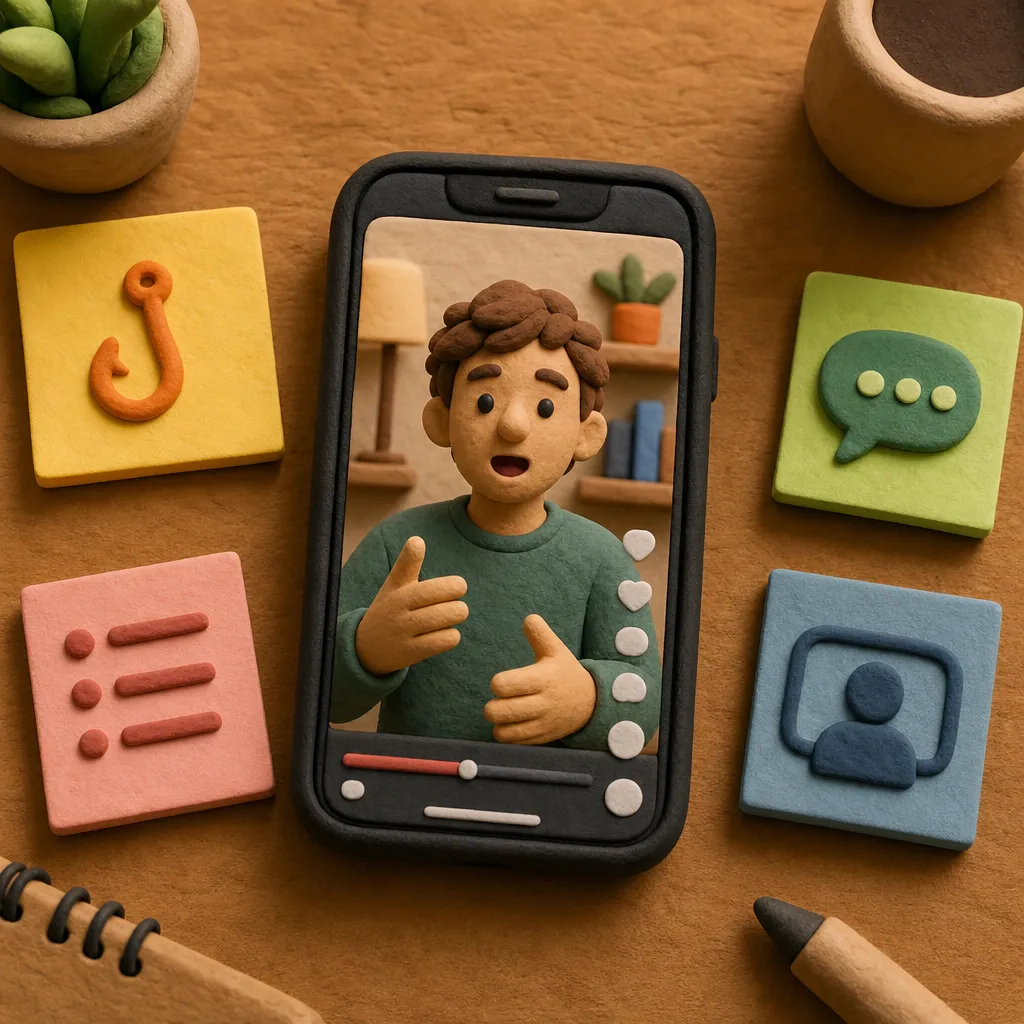
You don’t need twenty content pillars. You need a handful of formats that reliably hold attention, and the discipline to rotate them. These seven map directly to the formats Short-form video already supports, so you can pick one and the tool knows the shape to build.
Hot take
A short, confident opinion that invites agreement or argument. Great for engagement because people reply to take a side. Keep it to one clear claim.
Listicle
“Three tools I wish I’d known about sooner.” Numbers set expectations and make the video easy to follow. Works for almost any niche.
Facts
Surprising, true information delivered quickly. Strong for faceless accounts and for building the sense that your page is worth following.
Storytime
A small personal moment with a beginning, a turn and a payoff. The most human format — it earns trust even when it’s low production.
POV
“POV: you just realized your morning routine was the problem.” Puts the viewer inside a scene. Good for relatable, emotional niches.
Myth-bust
“No, you don’t need to post at 9am.” Take a common belief and correct it. The tension in the setup keeps people watching for the answer.
How-to
A tiny, finishable tutorial. One clear outcome, a few steps, done. Saves and shares come from videos people want to come back to.
Assign these to days of the week and your “what do I post?” problem disappears. Monday hot take, Tuesday listicle, Wednesday storytime, and so on. The rotation keeps your feed varied without you deciding anything new each morning.
A hook bank you can reuse forever
The first two seconds decide whether anyone watches the rest. A hook bank is just a set of opening patterns you keep on hand and fill in with today’s topic. Here are patterns that keep working:
- “The reason your [thing] isn’t working is simpler than you think.”
- “I tried [popular method] for 30 days. Here’s what nobody tells you.”
- “Stop doing [common habit]. Do this instead.”
- “Three things I’d do differently if I were starting [niche] today.”
- “You’re using [tool/thing] wrong, and it’s costing you.”
- “Nobody talks about this, but [surprising claim].”
- “If you only remember one thing about [topic], make it this.”
Keep ten of these in a note. Each morning you pick a format, pick a hook, drop in today’s subject, and you have a first line. When you paste that into Short-form video, the tool builds the rest of the script around that opening tension — because a strong hook changes the whole script that follows it.
The trick is specificity. “Grow your audience” is weak. “Why your first 1,000 followers come from comments, not posts” is a video. The more specific your sentence, the sharper the finished short.
Make your captions and script match your voice
Voice is what makes a daily feed feel like one person instead of a content farm. Before you generate anything, write a short voice rule and keep it with your hook bank. Something like: “Warm, direct, a little dry. Short sentences. No hype words. Talks to one person, not a crowd.”
Paste that rule into your brief every time. When a tool knows how you sound, the script and the caption come back in that register instead of generic ad-speak. Short-form video returns a ready-to-post caption and hashtags alongside the video, so the words under your clip match the words in it.
A few voice habits that travel well across formats:
- Pick one reader. Write “you,” singular. It reads as a friend talking, not a brand broadcasting.
- Cut the throat-clearing. Delete “In today’s video I’m going to talk about.” Start on the hook.
- End with a small ask. “Save this for your next launch” or “Which one surprised you?” gives people a reason to tap.
You can also set the language. Short-form video works in 13 languages for script, voiceover and captions, so if your audience is bilingual you can run the same idea twice without rewriting it from scratch.
A step-by-step daily workflow

Here’s the whole system in practice. Once it’s set up, a single short takes a few minutes.
- Set your rotation once. Assign the seven formats to days. Write it down where you’ll see it.
- Build your hook bank once. Ten patterns in a note. Add your voice rule at the top.
- Pick today’s topic. One specific sentence. This is the only new thinking you do each day.
- Combine format + hook + topic. For example: listicle format, “Three things I’d do differently” hook, topic “starting a newsletter.”
- Generate the short. Open Short-form video, pick the format and length, paste your sentence and voice rule, and let it build the hook, script, voiceover, word-timed captions and b-roll stills.
- Review and tweak. Read the script out loud once. Change any line that doesn’t sound like you. This is the step most people skip, and it’s the one that keeps your feed human.
- Grab the caption and post. The tool hands you a caption and hashtags. Copy them over, upload to TikTok yourself, and add your real-time replies in the first hour.
A prompt you can paste
Try this exact structure in Short-form video and adjust the brackets to your niche:
Format: listicle, standard length. Voice: warm, direct, a little dry, short sentences, no hype, talking to one person. Topic: three small changes that made my morning routine actually stick. Hook: “Three things I’d do differently if I were starting my mornings over.” End with: ask viewers which one they’d try first.
Notice how much is decided before you press go. The format sets the shape, the voice line keeps it yours, the topic is specific, and the hook is already written. The tool fills in the rest — and because you built the inputs, the output needs only light editing.
What it costs to run this daily
Short-form video is cheap enough to make one every day and keep experimenting. Here’s how a stills-based short compares with related formats you might reach for as your page grows.
| Format | Typical cost of one finished piece |
|---|---|
| Short-form video | about $0.15–$1 |
| UGC Ad | about $0.30–$4 |
| Carousel | about $0.01–$0.10 |
| Explainer | about $0.25–$0.70 |
| Micro Drama | about $0.10–$6 |
Here’s how paying works: your first piece is on us with up to $1 of free starter credit, so you can test the whole flow before spending anything. After that, keep any single piece for a one-off $4.99, add credit from $5 when you want to make in volume, or move to a monthly plan from $9 that removes watermarks and includes that dollar amount of making each month. See the full breakdown on the pricing page.
One detail that matters for a daily habit: the stills mode of Short-form video needs no purchased credit, so it works with that free starter credit for your first piece and stays inexpensive after. Motion mode — where the b-roll animates instead of holding on stills — uses purchased credit. For most daily posting, stills look clean and move fast enough with word-timed captions carrying the energy.
Be honest about the limits
A system is only useful if you know where it stops. A few honest boundaries:
- Artistik won’t post or schedule. It builds the short and the caption; you upload and reply. There’s no account management, no auto-posting, no DM handling.
- AI drafts need a human read. The script is a strong draft, not a final word. Read it out loud and fix anything that sounds off. Your thirty seconds of editing is what keeps the feed from sounding like everyone else’s.
- Facts are your responsibility. If a video makes a claim, check it. The “facts” format is only as reliable as the topic you feed it and the review you give it.
- Motion costs more. Animated b-roll uses purchased credit. Budget for it only when a specific video needs the movement.
None of these are dealbreakers. They just mark where the tool ends and your judgment begins — which is exactly where your personality shows up.
When you’re ready to scale beyond daily shorts
Once the daily rhythm feels easy, you can repurpose the same ideas across other formats without starting over. A strong listicle short can become a Carousel for Instagram or LinkedIn. A how-to can expand into a longer 16:9 Explainer for YouTube. A storytime can grow into a short vertical Micro Drama if your niche leans narrative.
If your topic lends itself to talking at length, you can also set up a show that keeps publishing itself. Autopilot builds a podcast channel around a topic and voice you choose, writing, voicing and mixing each episode weekly, then uploading to a connected YouTube channel. It’s a different pace from daily shorts, but it fills the long-form side of your presence while your TikTok rotation runs.
Before you spend time writing, you can also sanity-check your plan with the free, no-signup tools — the video script length tool turns a word count into seconds so you know a script fits the length you’re aiming for.
Frequently asked questions
Does AI write TikTok scripts that actually sound like me? Only if you tell it how you sound. Write a one- or two-sentence voice rule and paste it into every brief. Then read the draft out loud and fix any line that isn’t yours — that short edit is what keeps it human.
Can I make a TikTok video with AI for free? Your first piece is on us with up to $1 of free starter credit, and previews are watermarked. The stills mode of Short-form video works with that starter credit, so you can make your first short before paying. After that you keep a piece for $4.99, add credit from $5, or pick a plan from $9 a month.
Will Artistik post my videos to TikTok for me? No. Artistik makes the video, the caption and the hashtags, but you upload it yourself and handle your account and replies. That keeps you in control of timing and community.
How many videos a week should I rotate? Assign the seven formats to days and post as many as you can sustain. Even three or four a week, each a different format, beats seven identical posts. Consistency and variety matter more than raw volume.
What’s the difference between stills mode and motion mode? Stills mode uses b-roll images with word-timed captions and needs no purchased credit, which makes it ideal for daily posting. Motion mode animates the b-roll for extra movement and uses purchased credit, so save it for videos that really need it.
Daily posting stops being a grind the moment you stop deciding everything from scratch. Set your rotation, keep a hook bank, write your voice rule once — then let Short-form video turn one sentence into a finished short while you focus on the part only you can do: showing up as yourself.